
 Sign In
The Ultimate Trading Journal Software for Serious Traders
Stop guessing and start measuring. TradeBB is a professional digital journal that transforms your raw trade data into actionable insights. Track your performance, refine your psychology, and find your statistical edge with institutional-grade analytics.
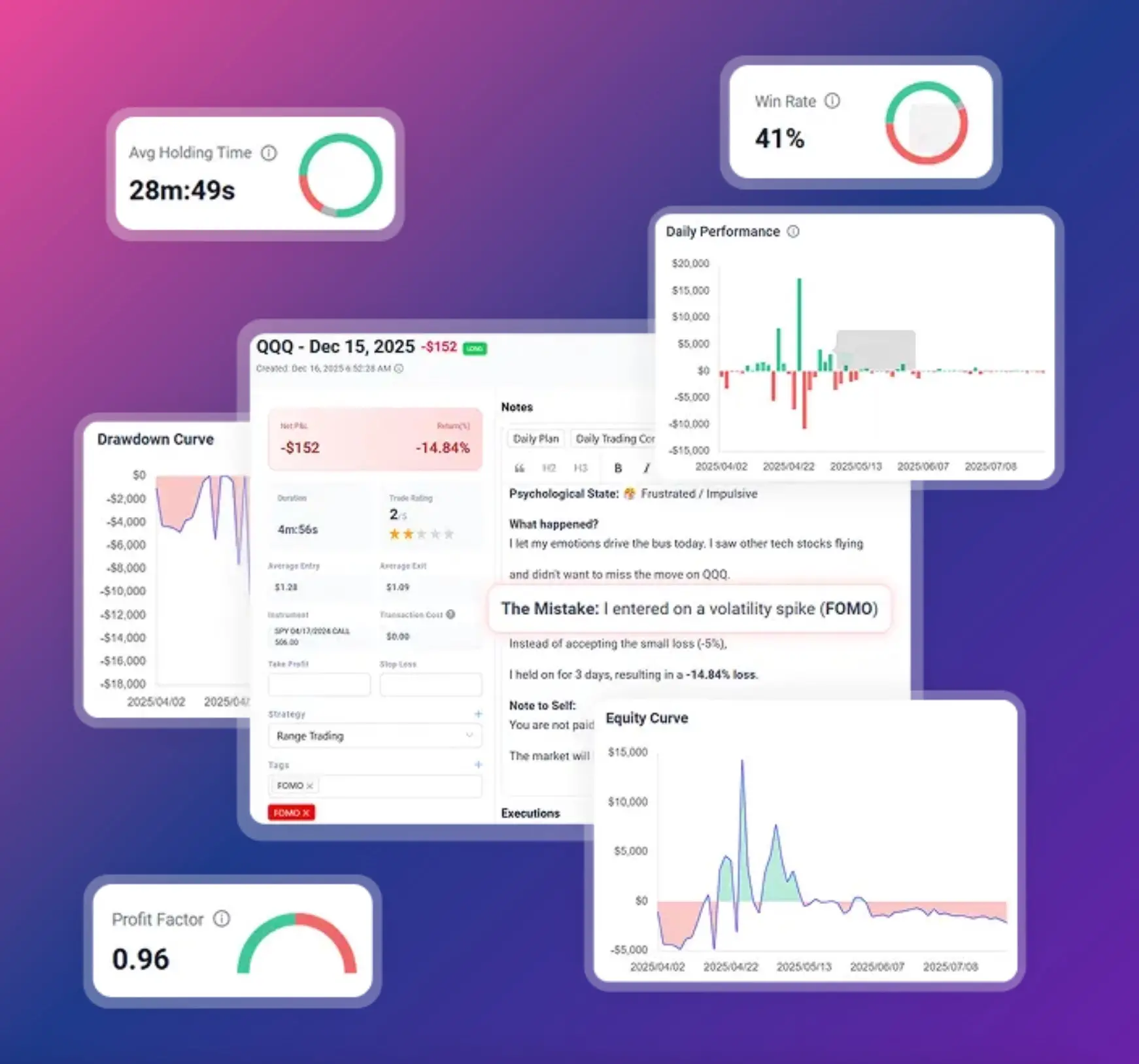








Everything You Need to Build a Profitable Process
Amateurs focus entirely on the next setup. Professionals focus on process, risk management, and execution discipline. TradeBB provides the structured feedback loop necessary to scale your trading business safely.
Advanced Analytics Dashboard
Visualize your equity curve, monitor maximum drawdown, and measure your true expectancy. Get a bird's-eye view of your overall performance and identify exactly when your risk exposure is drifting.
Comprehensive Trade Log
Filter your history by strategy, setup, mistake, or time of day. Calculate exact R-multiples and risk-to-reward ratios to see which setups actually drive your profitability and which ones are slowly bleeding your account.
The Daily Journal & Behavioral Tracking
Trading is a behavioral game. Document your emotional state, log your daily market observations, and attach chart screenshots. Build a routine that prevents revenge trading and fosters discipline using our dedicated calendar view.
One Unified Journal for Every Market
Your data belongs in one unified dashboard. TradeBB provides specialized, structured analytics tailored to the unique mechanics of your chosen asset class. Whether you are tracking non-linear Greeks, monitoring tick-based risk, or managing strict compliance rules.
Universal Auto-Import with "Any Broker (AI)"
Stop wasting hours on manual spreadsheet entry. TradeBB is built for speed, security, and universal compatibility.
Upload your CSV or Excel export files from virtually any broker, and our proprietary Any Broker (AI) engine instantly standardizes your trades. Your data is processed securely and privately, with no mandatory API keys or permanent account connections required.
we have you covered:
- Stocks: Track sector performance and multi-broker equity PnL.
- Crypto: Monitor 24/7 volatility, leverage drift, and funding rates.
- Forex: Analyze session-based liquidity (London vs. New York) and pip risk.
- Options: Document multi-leg strategies and implied volatility crush.
- Futures: Calculate margin utilization and contract rollover behavior.
- Prop Firms: Protect your funded accounts by monitoring daily loss limits.
Structured Trade Import Without API Complexity
TradeBB supports secure file-based trade import designed for flexibility and user control.
You can:
- Upload official broker or exchange export files
- Use structured trading journal templates
- Consolidate multiple accounts through standardized formatting
- No continuous API connectivity is required.
Once imported, trade data is automatically normalized and prepared for performance analytics.
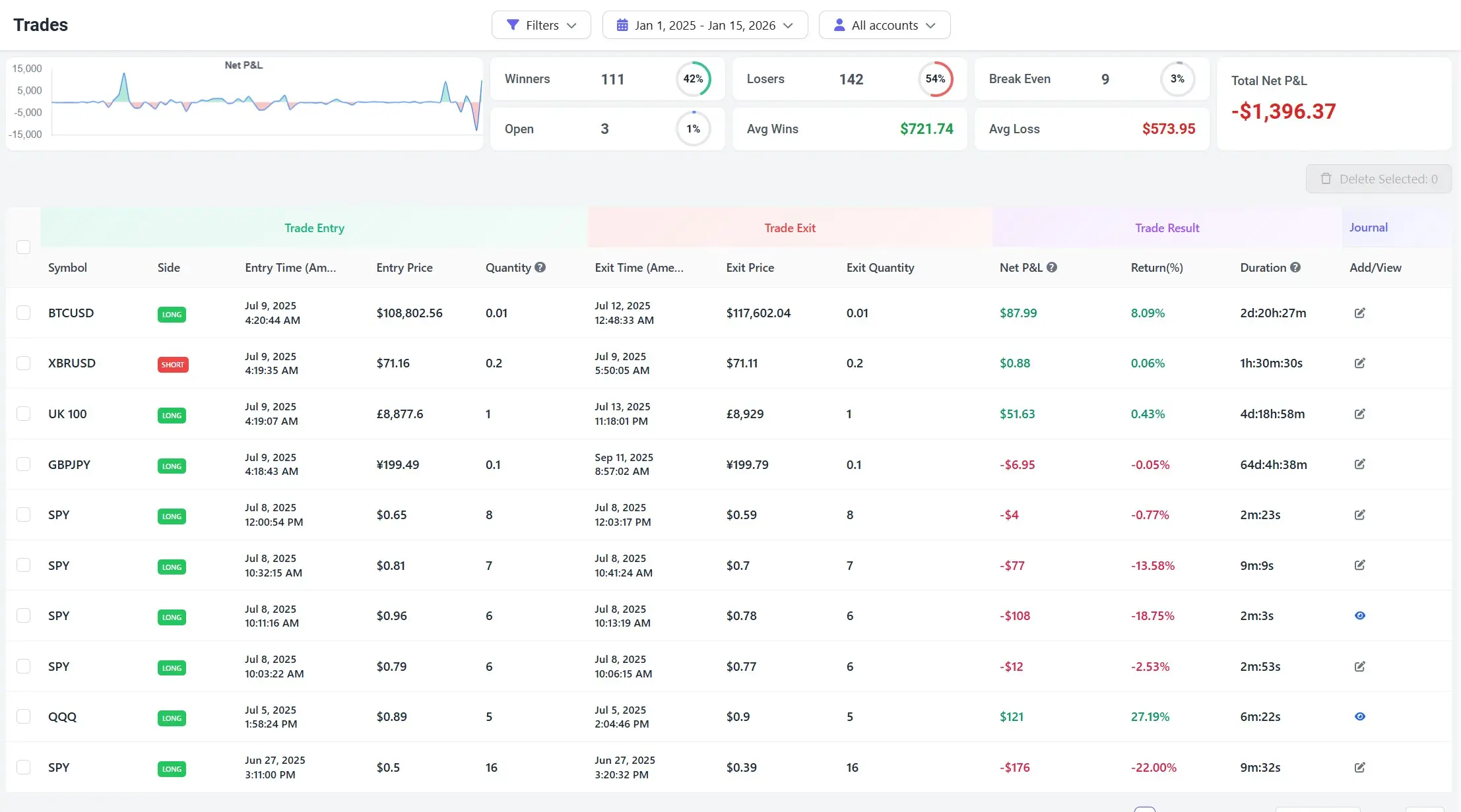
Built for Data-Driven Performance Review
After import, TradeBB transforms trade history into structured insights:
- PnL tracking across accounts
- Strategy-level performance segmentation
- Drawdown and capital fluctuation monitoring
- Expiration and contract-based analysis (where applicable)
- Structured tagging and review workflows
Instead of guessing why performance changes, traders gain measurable clarity.
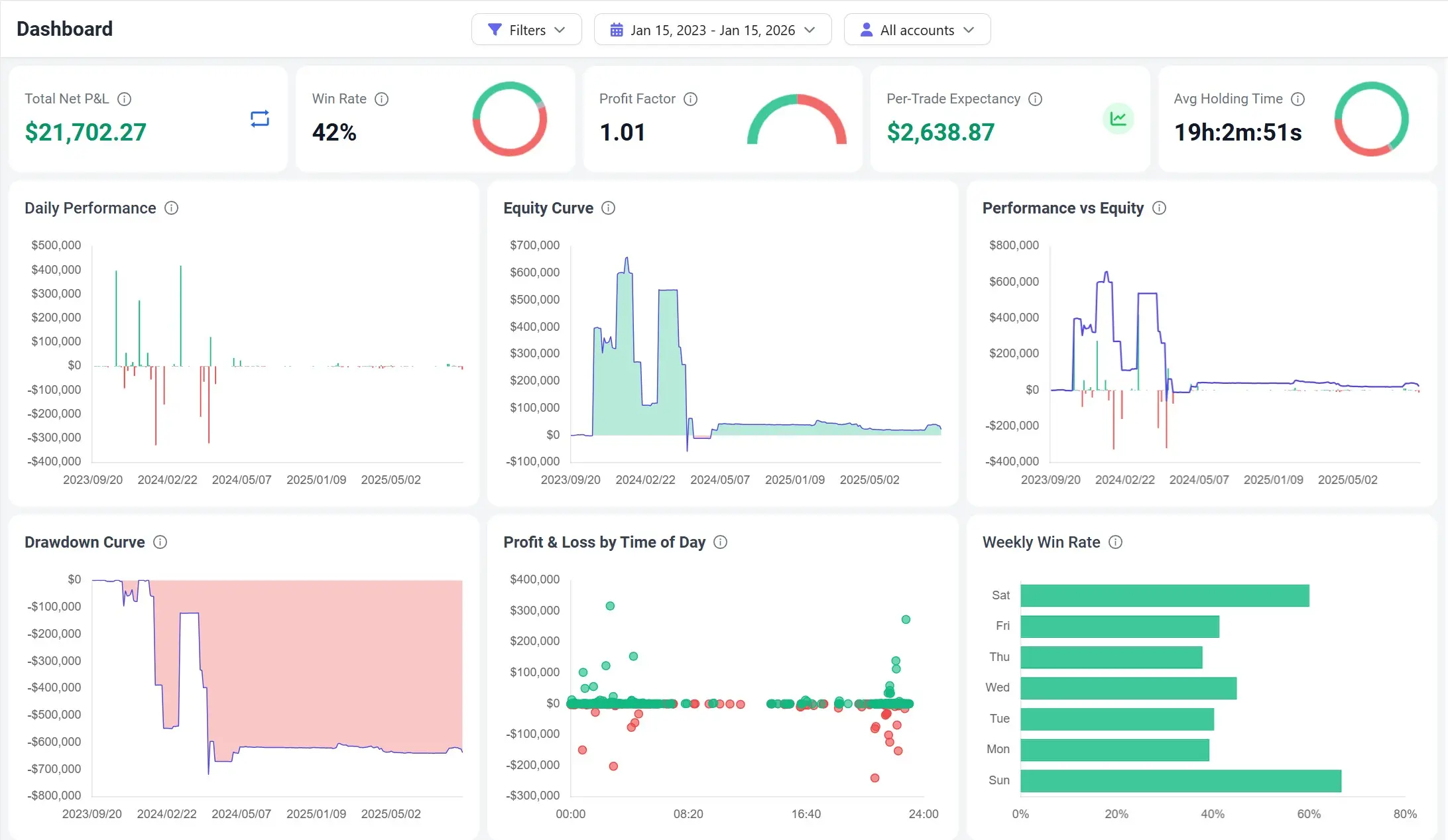
Build a routine that actually sticks
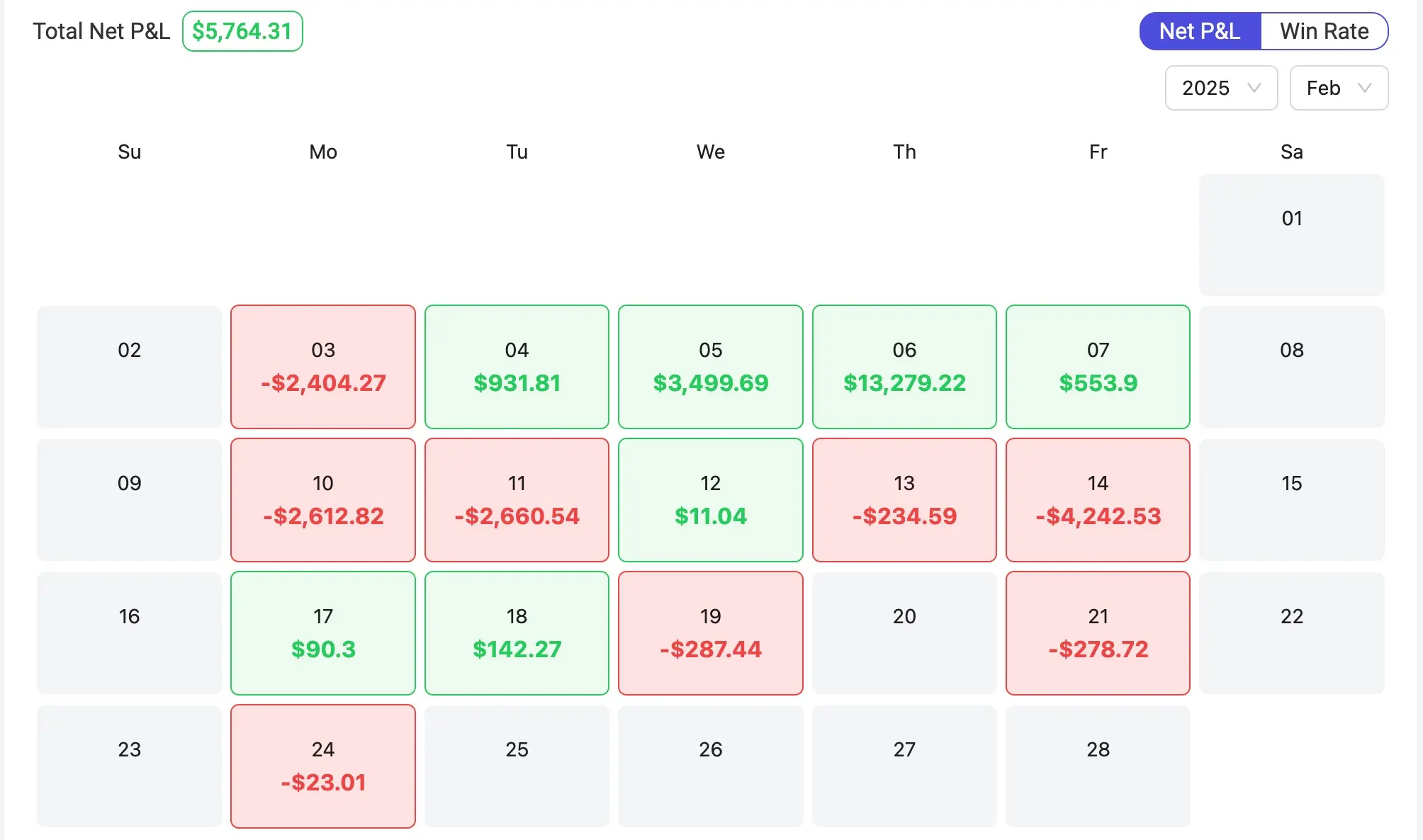
Consistency is easier when your review routine is simple. As an online trading journal, TradeBB lets you scan your month, then drill into any day without digging through statements.
Review any day fast
Open a day to see the summary and the trades behind it.
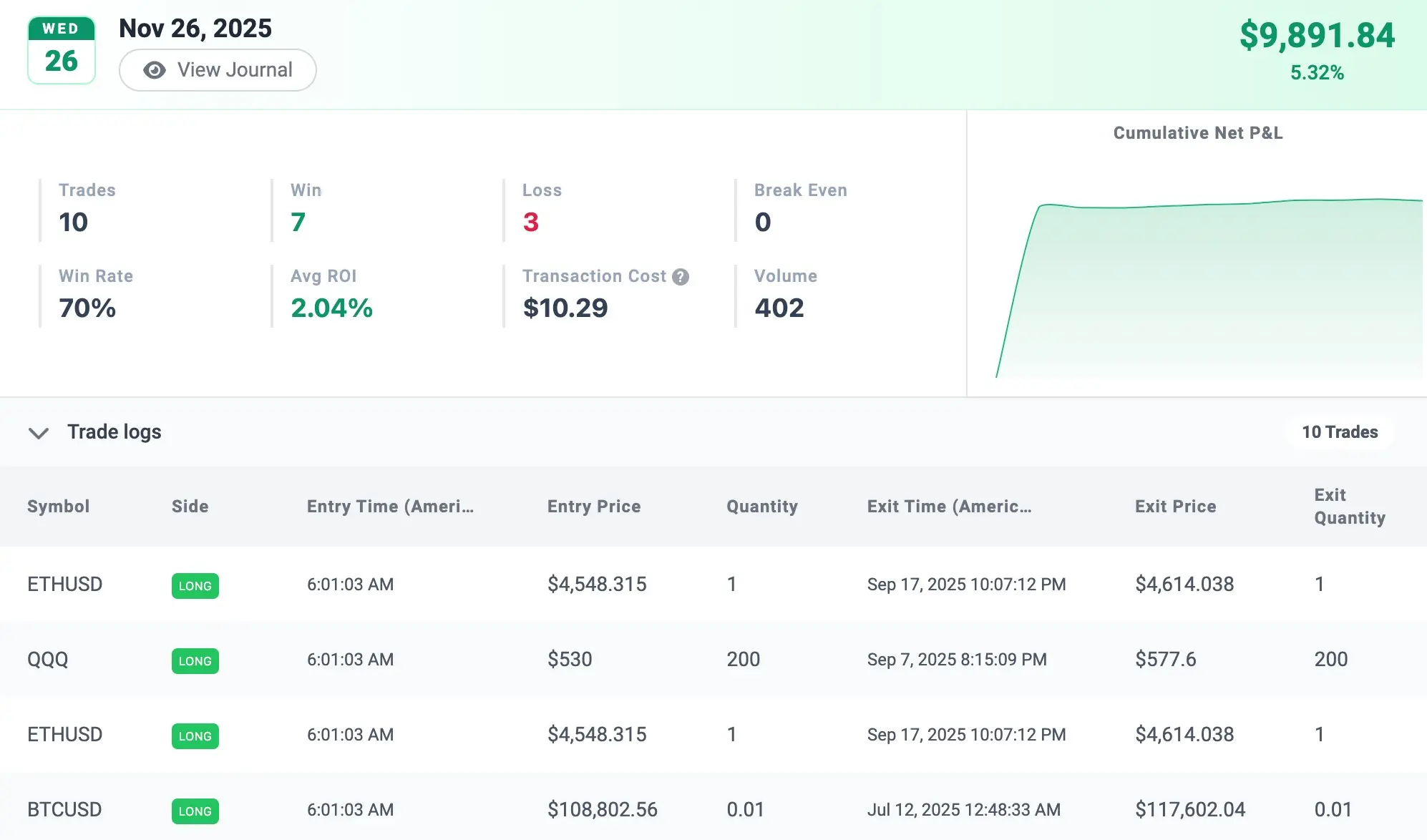
See monthly performance at a glance
A calendar view that highlights streaks, red days, and turning points.
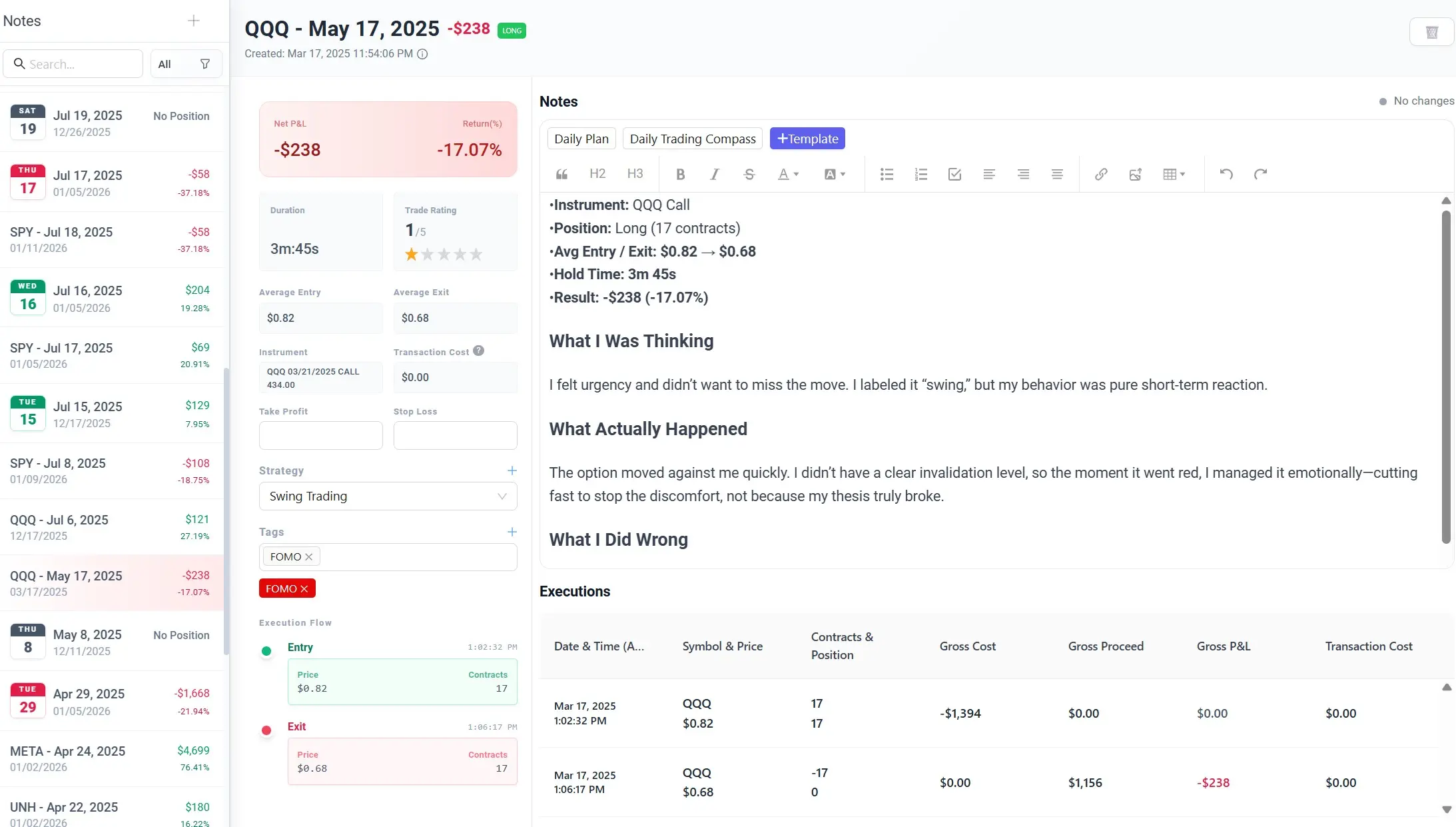
Track the why, not just the what
A trade journal isn’t just a log. It’s a decision record. Assign a strategy, add tags, and write structured notes (what you thought, what happened, what you’ll change) alongside entries, exits, and P&L. Clearer reviews. Better decisions.
Free Trading Journal Template
Prefer starting with a structured template?
Download our free Trading Journal Template for Excel or Google Sheets to organize your trades before importing.
The template works across markets and provides a standardized format for consistent analytics.
Master Your Edge: Insights from the TradeBB Blog
Deep dive into trading psychology, performance metrics, and structured review strategies. Learn how to turn raw data into consistent profitability.
Why Traders Choose TradeBB
- Multi-market trade analytics platform
- Structured file-based import methods
- Performance-focused dashboards
- Designed for individual traders and professional environments
- Scales from manual trade review to funded trading evaluation
TradeBB provides structured clarity across stocks, forex, crypto, options, futures, and proprietary trading environments.
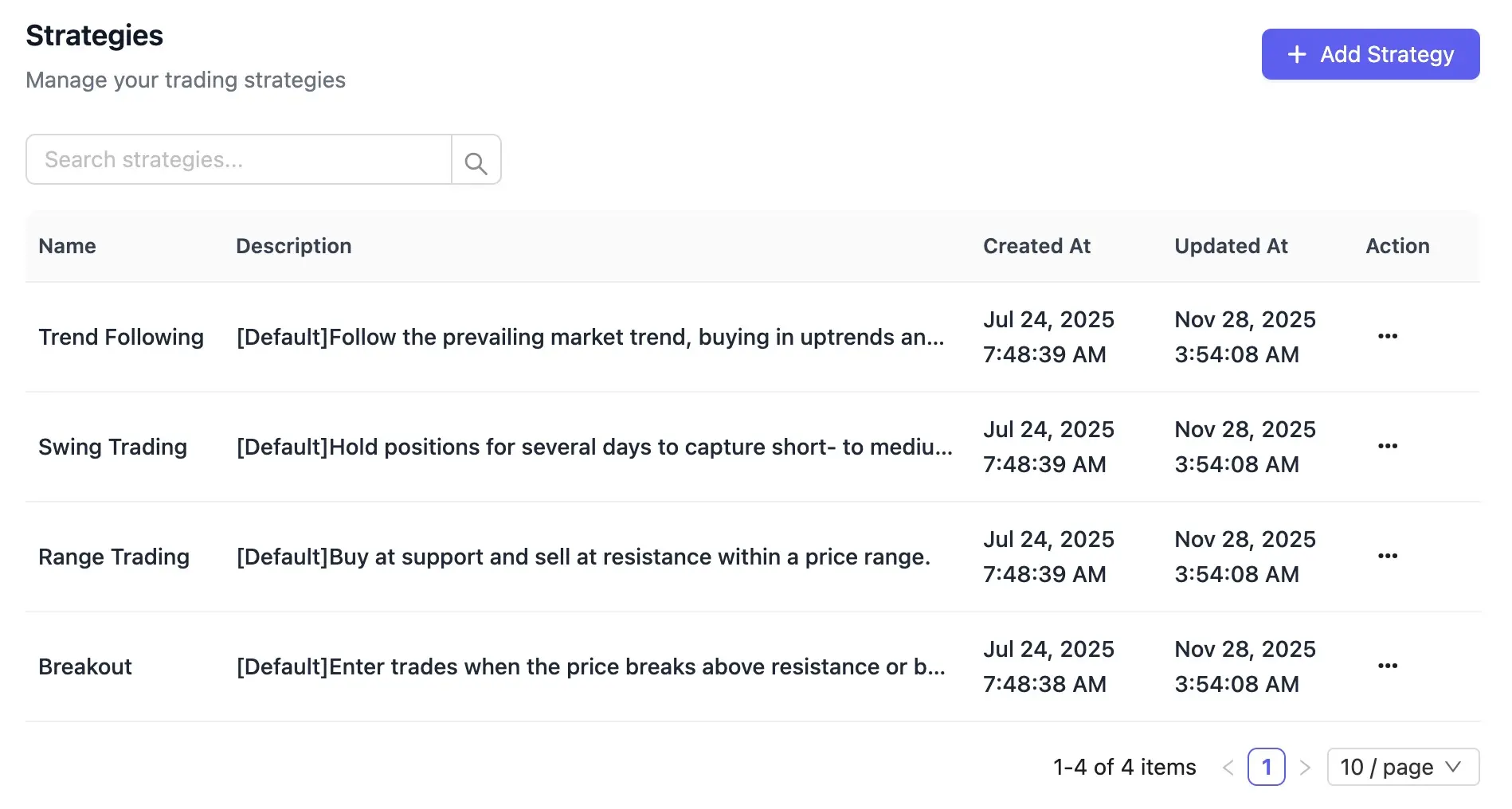
Compare strategies
See which setups actually perform.
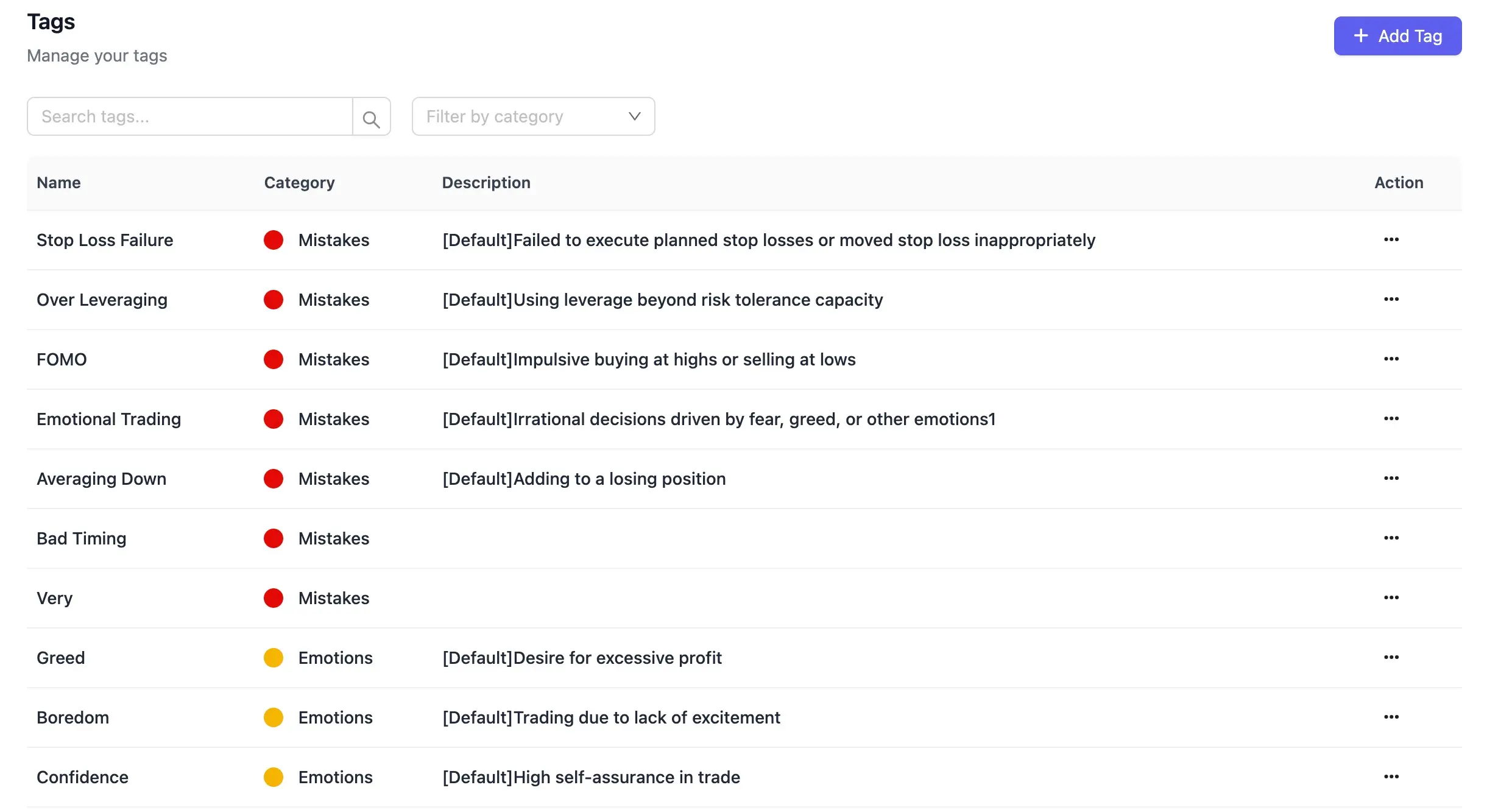
Tag repeat mistakes
Track the mistakes that keep showing up
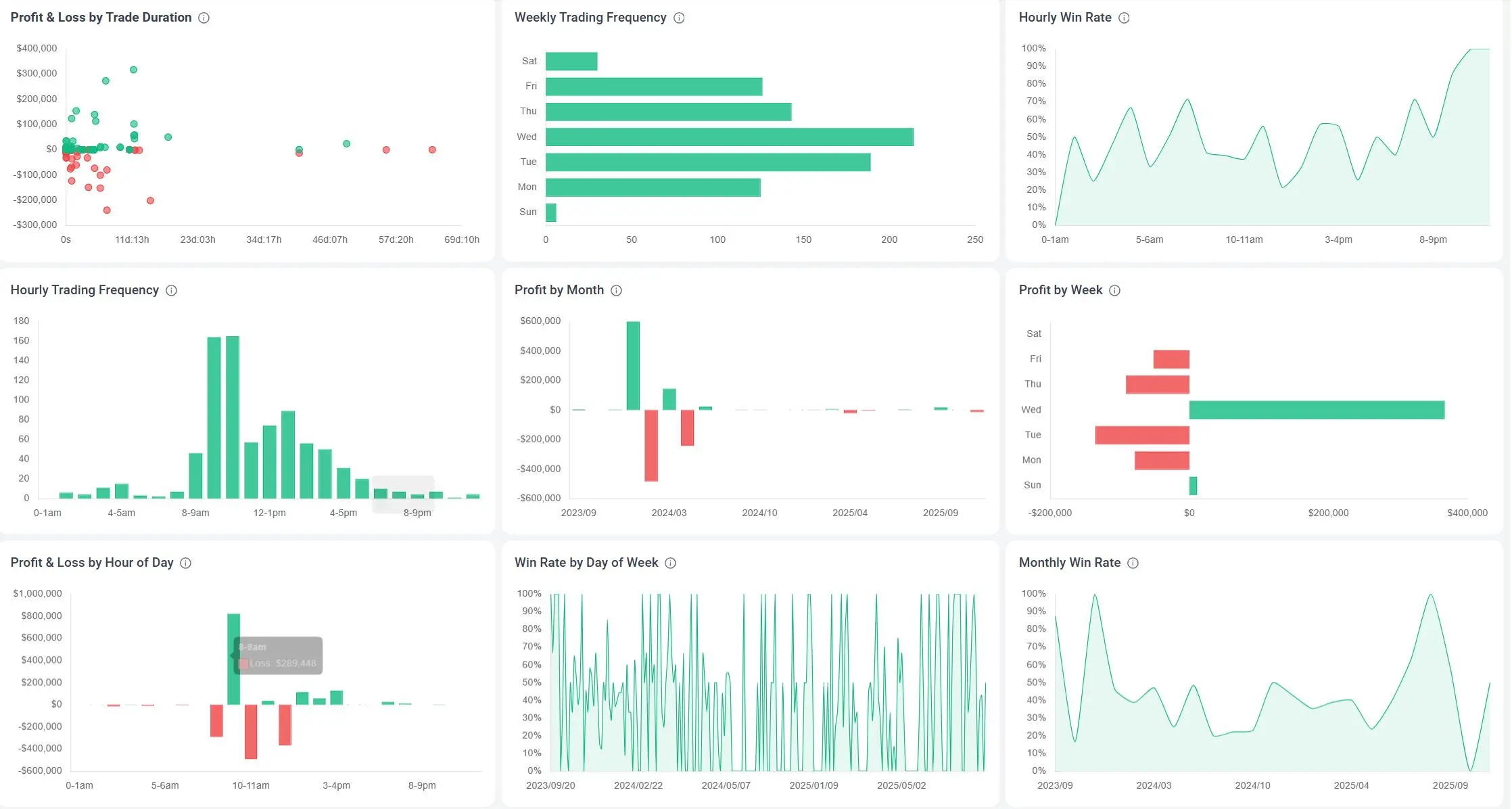
Trade better by time of day
Find your best (and worst) hours
FAQ
What is TradeBB?
TradeBB is an trading journal that imports your trades, tracks performance, and helps you trade better over time.
What makes TradeBB different from a trading spreadsheet?
Spreadsheets require constant manual data entry, complex formula maintenance, and lack automated visual analytics. TradeBB automatically structures your imported data, tags your setups, and instantly generates institutional-grade metrics like maximum drawdown, expectancy, and R-multiple distribution without breaking a single cell.
How do I get started?
Create an account and set your timezone and base currency. Import your trade history via auto sync or file upload. After the first import, tag and organize trades by instrument, strategy, and setup. Then open the dashboard to review key metrics (P&L, win rate, profit factor, expectancy) and begin your review loop.
Do I need to connect my live brokerage account via API?
No. We prioritize your financial security and privacy. TradeBB uses a secure, file-based import system. You simply upload your CSV or Excel export files from your broker. We never ask for live API trading keys, meaning we cannot execute trades or access your funds.
Which markets and brokers does the software support?
TradeBB is a multi-asset platform. Thanks to our Any Broker (AI) engine, we support structured imports for Stocks, Crypto, Forex, Options, Futures, and Prop Firms. Whether you use MT4, Binance, Interactive Brokers, or FTMO, your data can be consolidated here.
How can I contact you if I have more questions?
If anything’s unclear or you need guidance using tradebb.ai, our team is here at support@tradebb.ai, and our community is open at https://www.tradebb.ai/community
How do you handle data security and privacy?
We use encryption in transit and at rest, role-based access controls, and strict data isolation. You can export or delete your data at any time. For enterprise, we support private cloud/on‑prem, SSO, and custom retention.Learn more: https://www.tradebb.ai/privacy-policy
Is a trading journal useful for beginners?
Absolutely. In fact, starting with a journal prevents the formation of bad habits. Documenting your early trades helps you separate strategy-based decisions from emotional impulses (like FOMO or revenge trading) before they cost you significant capital.
Review better. Trade better.
Import your trades. Review what happened and why.