
Free Trading Journal Template
Download a free Excel trading journal template with a Trade Log and automated Summary Dashboard for tracking performance, reviewing trades, and building a consistent trading routine.
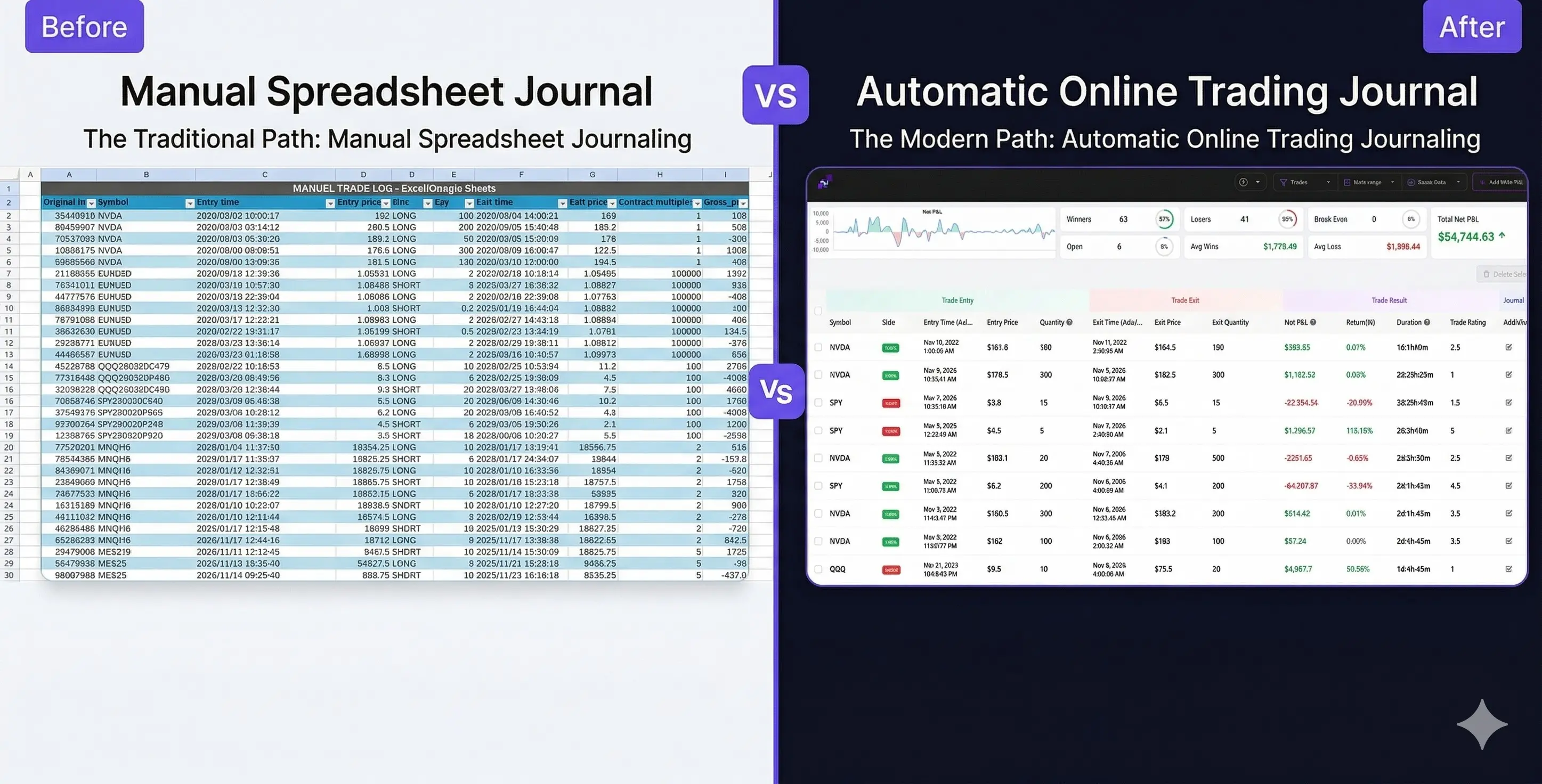
Excel vs. Automated TradeBB Journal
Spreadsheets are a great starting point for tracking trades, but they become harder to manage as trading volume grows. TradeBB helps automate trade imports, performance tracking, and multi-account analysis while keeping your review workflow organized in one place.Instead of manually updating formulas and dashboards, you can focus more on reviewing performance, identifying patterns, and improving consistency.
What’s inside the trading journal template?
This Excel trading journal template includes a Trade Log and a Summary Dashboard designed to help you track and review your trading performance in a structured way.
Inside the template:
• Trade Log – record symbols, entries, exits, position size, fees, notes, and trade results
• Trade Summary – automatically calculate win rate, total P&L, average win/loss, total costs, and other key trading statistics
• Simple Review Workflow – use the template to review trades daily, weekly, and monthly
The downloadable template is fully editable in Microsoft Excel.
Log each trade consistently
See key results in the summary
Follow a simple review routine
One template for multiple markets
This Excel trading journal template can be customized for different trading markets and styles. Whether you trade stocks, forex, futures, options, or prop firm accounts, the same structured workflow can help you track performance and review trades more consistently.
Stock Trading Journal Template
Use the template to track stock entries and exits, monitor trading costs, review position performance, and organize your daily trading workflow in Excel.
Forex Trading Journal Template
Track forex trades, review trading consistency, monitor risk-to-reward ratios, and analyze overall trading performance with a structured Excel workflow.
Futures Trading Journal Template
Record futures trades, track contracts and realized P&L, review trading discipline, and monitor performance across different futures markets.
Options Trading Journal Template
Track options trades, review contracts, premiums, realized P&L, and trading performance with a customizable Excel trading journal template.
Prop Firm Trading Journal Template
Track funded account performance, monitor consistency rules, review daily drawdown limits, and organize your prop firm trading workflow.
How to Use a Trading Journal Template Effectively
Simply downloading a spreadsheet will not improve your trading. You need to build a review system around it:
- Define the Plan First: Record your trade thesis, risk amount (R-multiple), and position size before entering the market.
- Log Every Execution: Enter both your spectacular wins and your embarrassing losses. Honest data is the only data that matters.
- Conduct a Weekly Review: Filter your spreadsheet at the end of the week. Are you making money on breakouts but losing on reversals?
- Isolate Variables: Improve one variable at a time based on the data. For example, use your journal to strictly enforce a rule like "No trading during the mid-day chop."
Ready for Advanced Metrics? Upgrade to TradeBB. While this free Excel template is an excellent starting point for building a daily journaling habit, manual spreadsheets eventually hit a ceiling.
Many traders start with spreadsheets, but manual formulas quickly become difficult to manage across multiple accounts, brokers, and asset classes.
TradeBB is an online trading journal built to automate trade tracking, performance analysis, and trading reviews without relying on complex Excel formulas.
FAQ
Is this trading journal template completely free?
Yes, The downloadable template is fully editable in Microsoft Excel. Prefer working in the cloud? Use our Google Sheets Trading Journal Template to save an editable copy directly to your Google Drive.
Do you offer an Excel trading journal template for offline use?
Yes. You can download the .xlsx Excel trading journal template directly to your hard drive for offline tracking. This is ideal for traders who prefer not to store their financial data on cloud-based tools.
Which template should I use for Forex trading?
You should use the dedicated Forex Trading Journal Template. Unlike standard stock ledgers, it includes the necessary columns to track global trading sessions, currency pair Pips, lot sizes, and macroeconomic news context.
Can I use these templates to pass a prop firm challenge?
Absolutely. The Prop Firm Trading Journal Template is built specifically to help you track complex drawdown limits, daily loss rules, and scaling plan compliance during both the evaluation and funded phases.