
Trading journal for tracking, reviewing, and improving your trades
Review performance across stocks, options, futures, forex, and more in one structured trading journal built for serious traders.
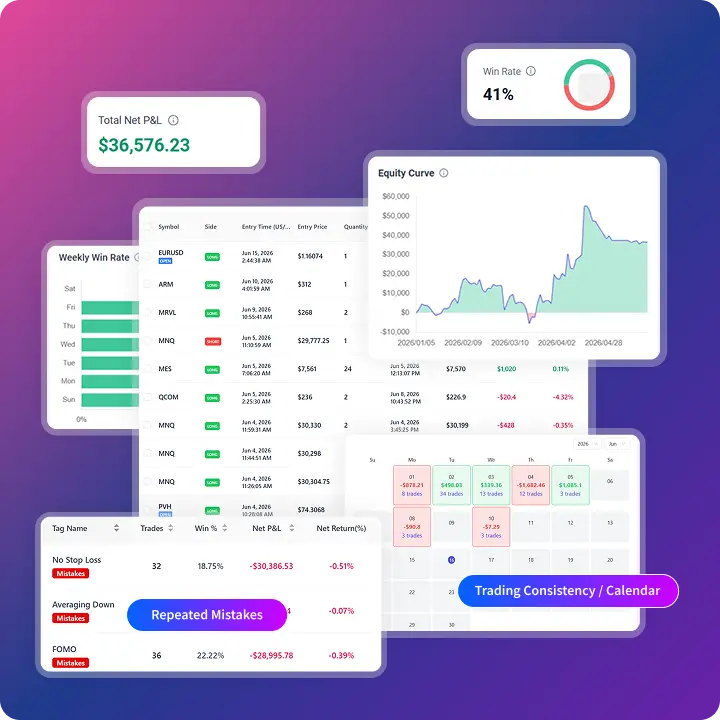
Sync or import trades from popular brokers and trading platforms
Sync is available for selected brokers. If sync is not supported, upload a trade history file instead.














A trading journal for stocks, options, futures, and forex
TradeBB helps traders track trades, review performance, and analyze results across major markets, trading styles, and broker accounts.
Track every trade with a structured trading journal
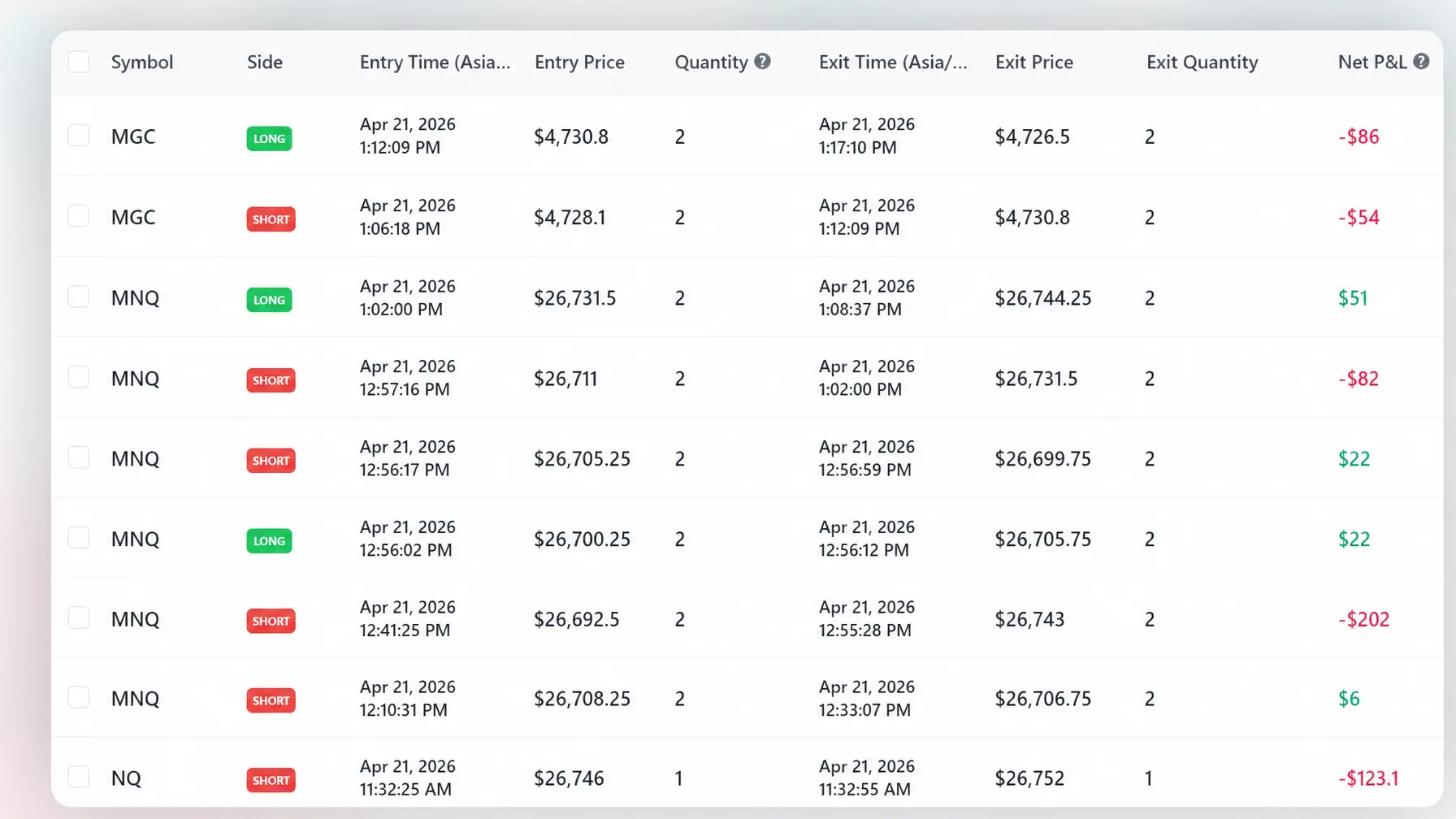
Keep your trade history, broker data, entries, exits, costs, notes, screenshots, strategies, and tags organized in one place.
Build a clean trade history
Review every setup
Move beyond spreadsheets
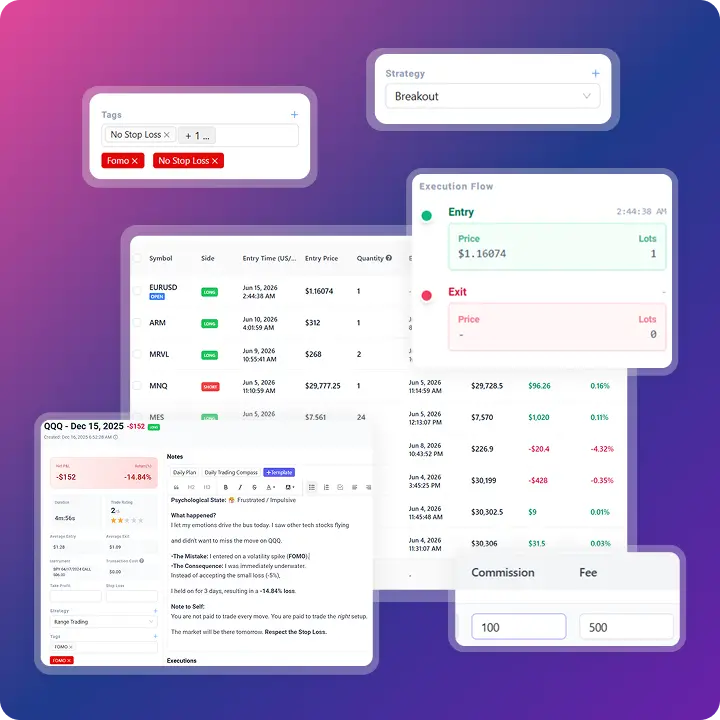
Import trades from your broker or trading platform
Bring your trade history into TradeBB through supported broker connections or trade file uploads. Spend less time organizing data and more time reviewing performance.
Broker connections
Trade file uploads
Organized trade records
Ask questions about your trading journal
TradeBB AI helps you explore your own trades, strategies, symbols, accounts, and performance through natural-language questions. Use our AI trading journal to identify patterns and focus your next review.
Explore your performance
Ask what changed across recent trades, time periods, strategies, or broker accounts.
Investigate patterns
Review which symbols, setups, and trading habits are helping or hurting your results.
Continue the analysis
Use AI responses to decide which reports and individual trades deserve closer attention.
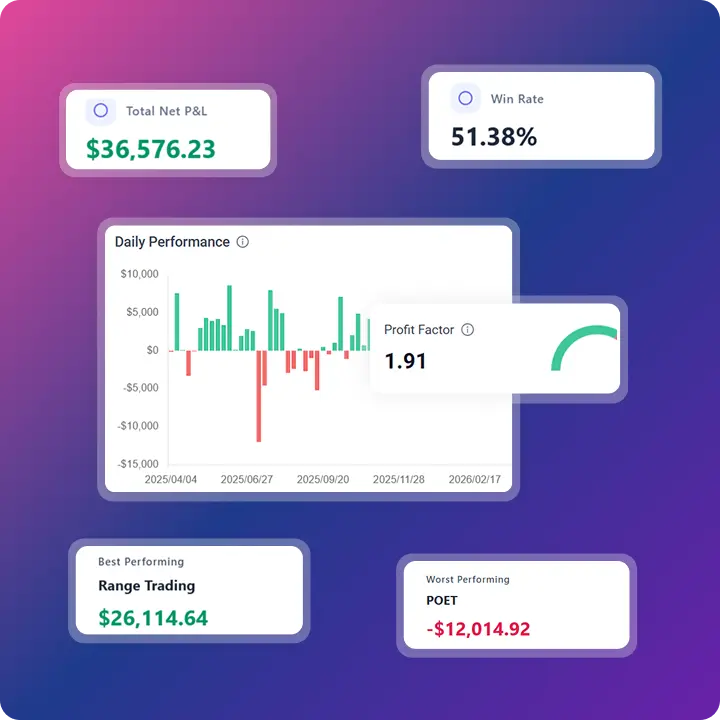
Turn trading data into performance reports
TradeBB helps you move beyond basic P&L with reports that break down performance by symbol, strategy, tag, broker account, and time period.
See what is working
Find what is hurting performance
Review performance over time
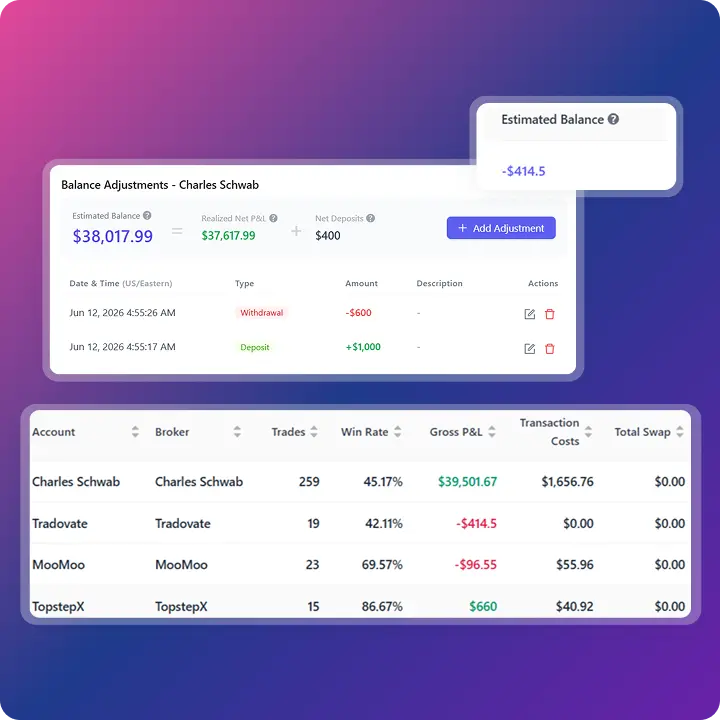
Review performance across broker accounts
Keep trades from different broker accounts organized and review account-level performance, capital flows, commissions, fees, taxes, and trading costs when available.
Account-level performance
Deposits and withdrawals
Costs and commissions
Why most traders struggle to improve
Most traders do not lack more trades. They lack a structured way to review decisions, patterns, costs, mistakes, and performance over time.
No structured trade review
Scattered trading data
No clear performance insight
Repeated trading mistakes
A structured workflow for trade review
TradeBB helps you turn raw trade history into a repeatable review process — from broker import to performance reports and trading lessons.
Import your trades
Review your performance
Identify patterns and mistakes
Improve your process
Explore your trading journal from every angle
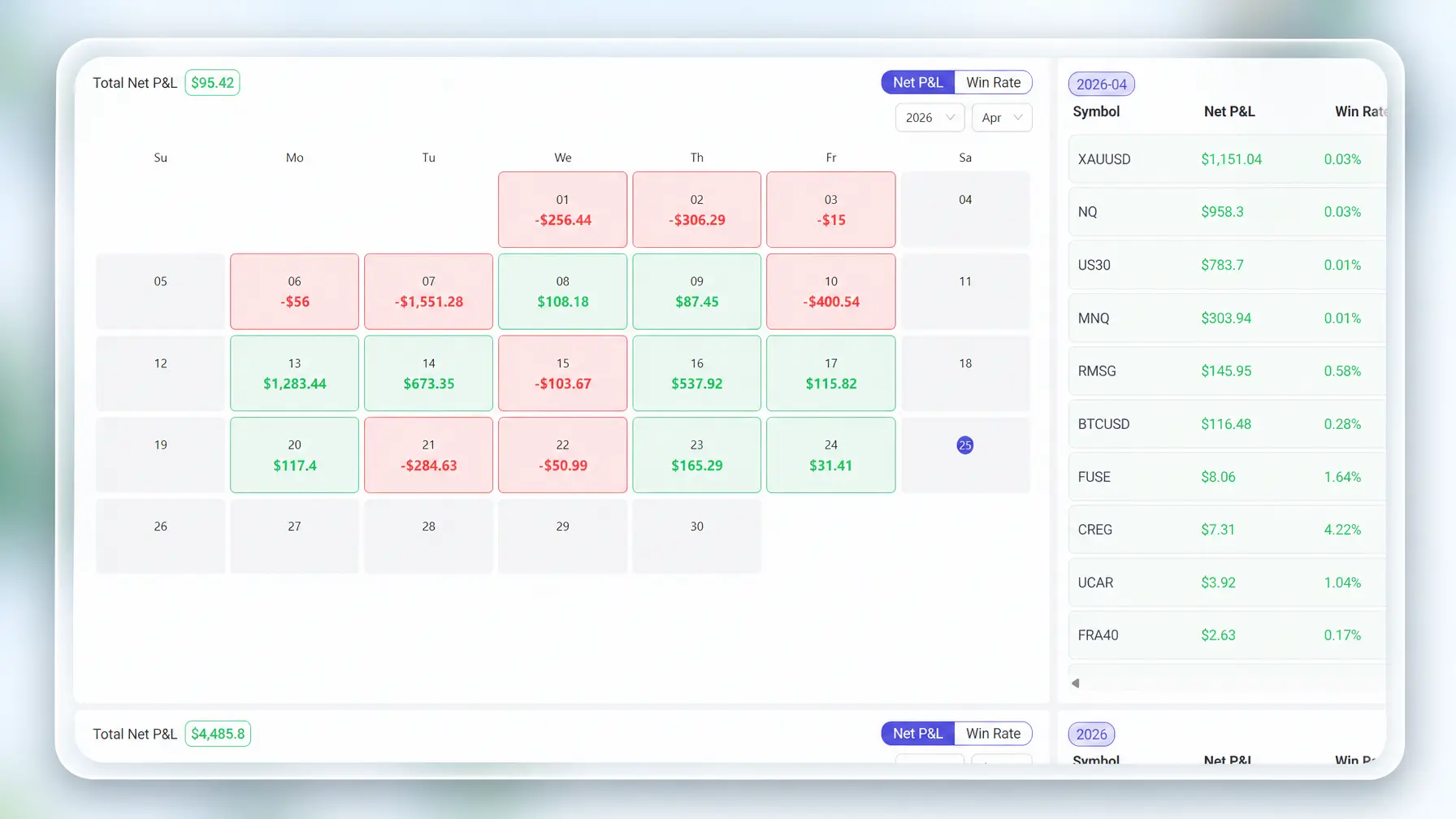
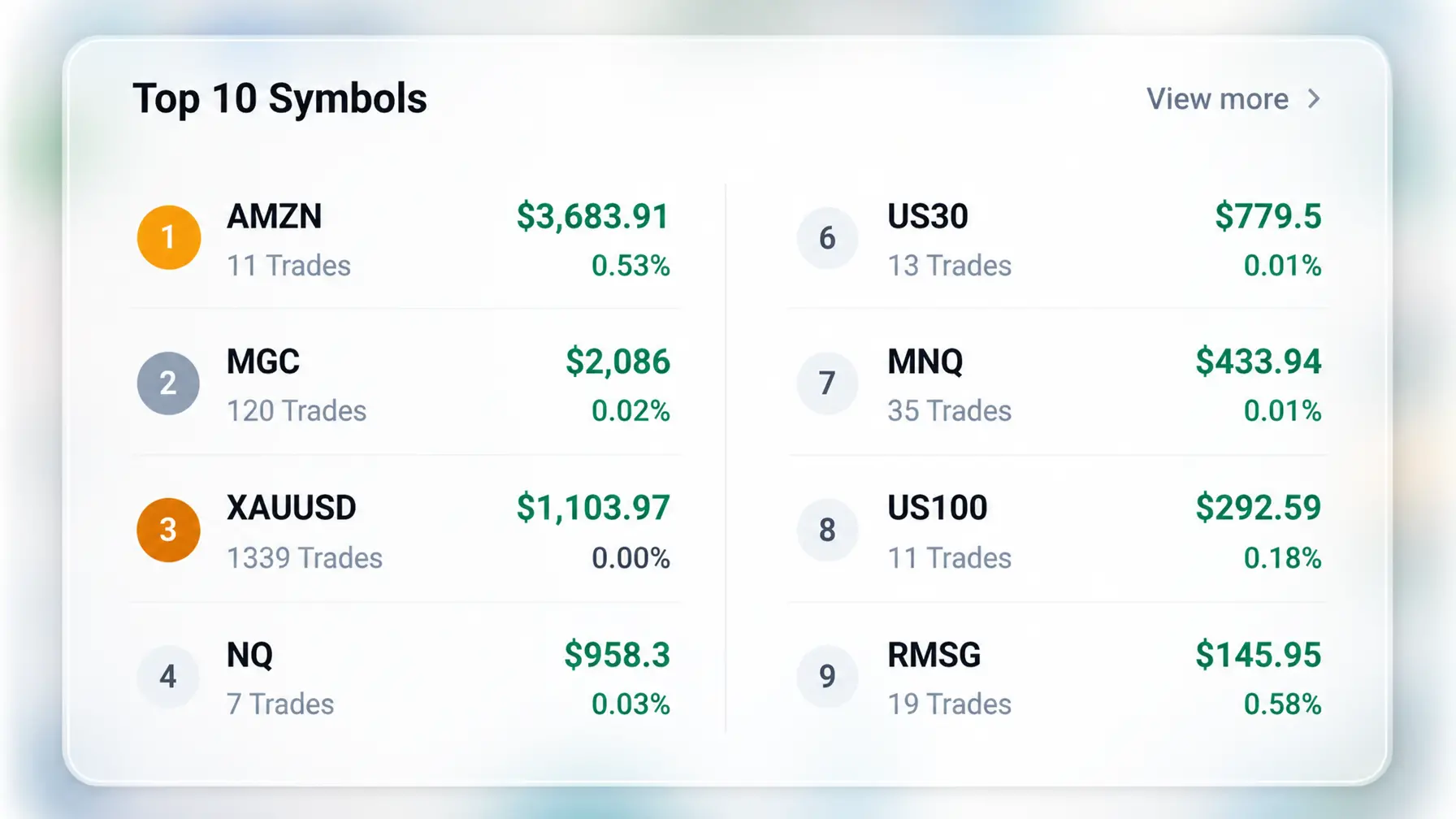
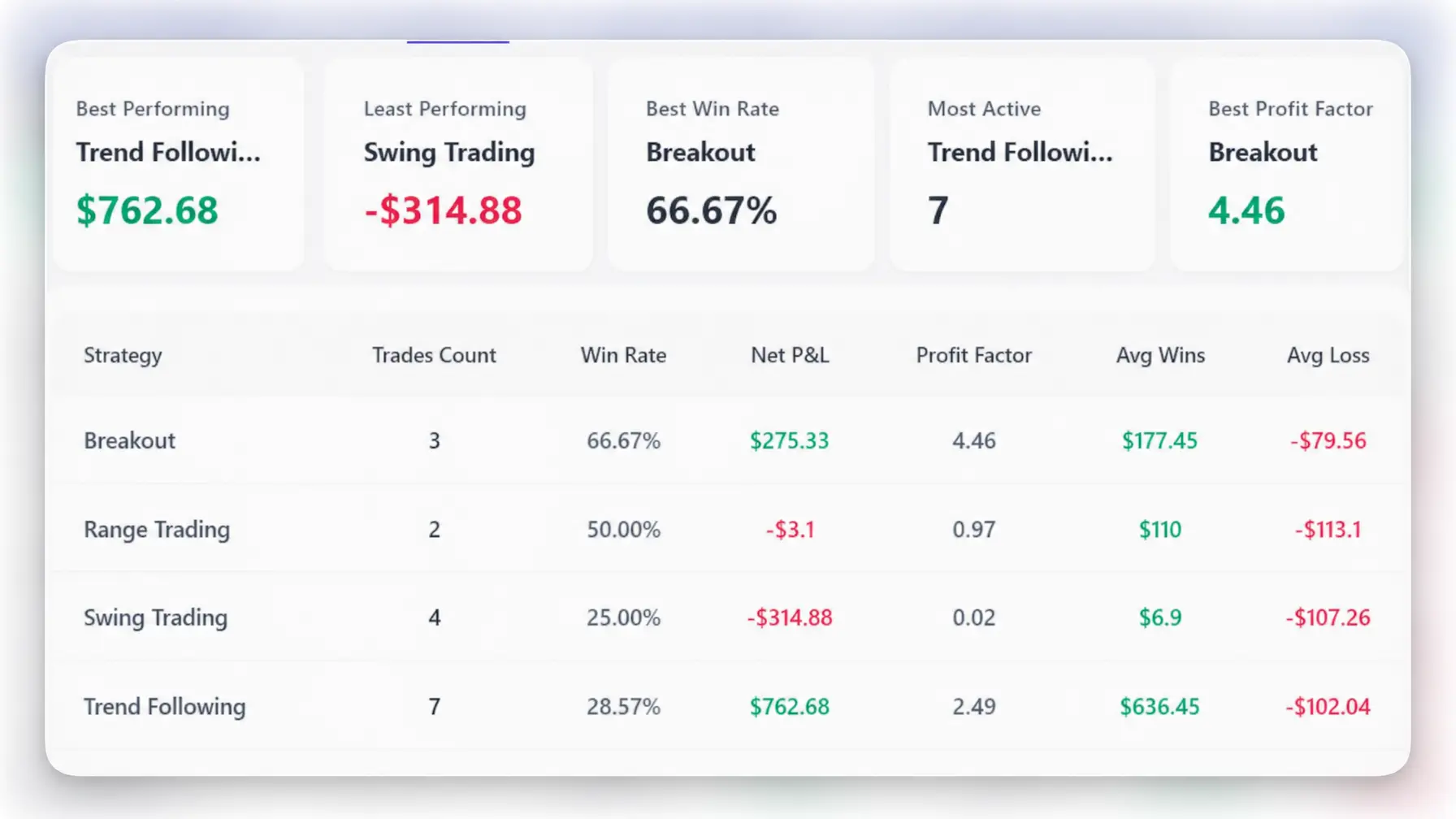
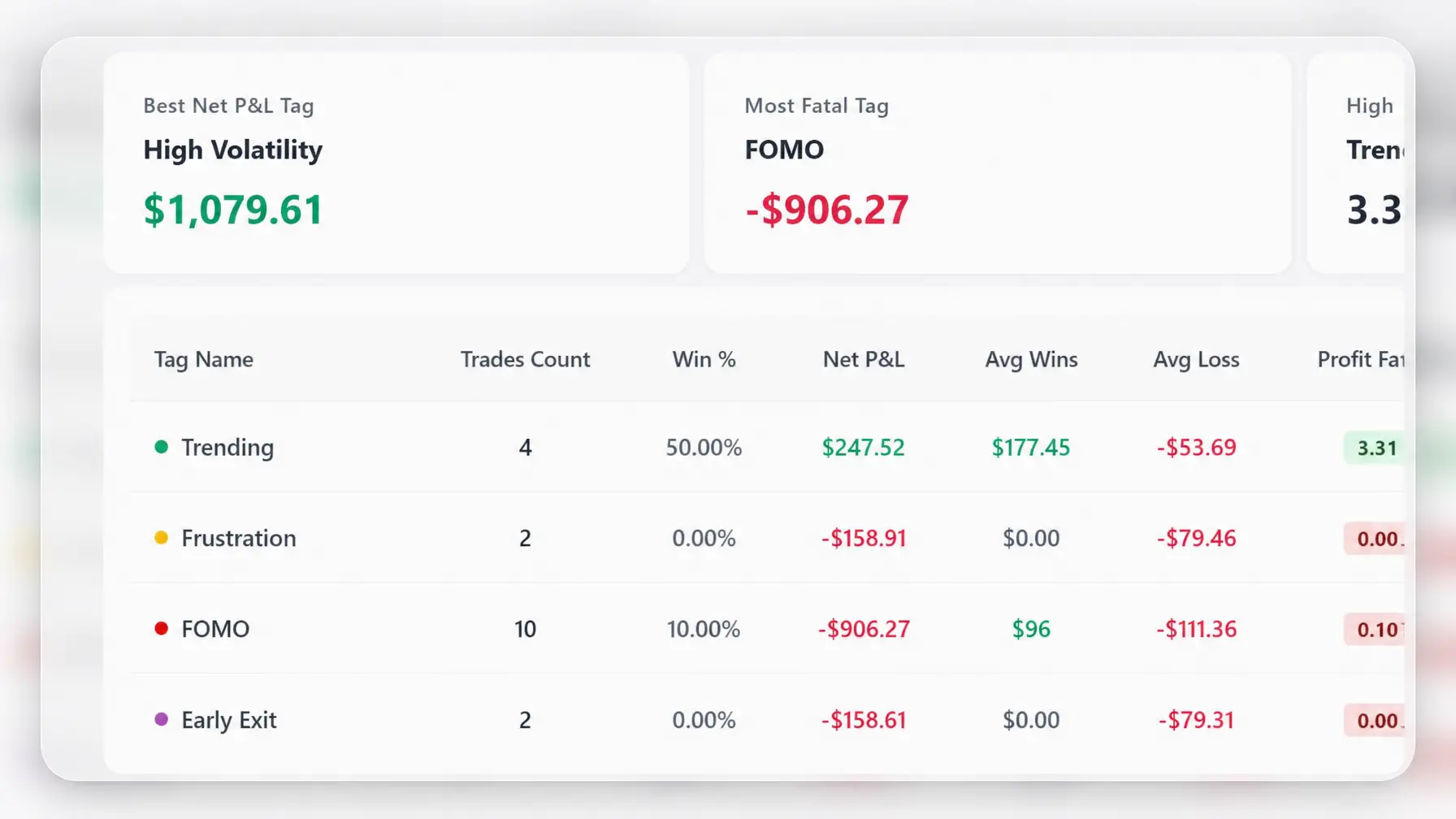
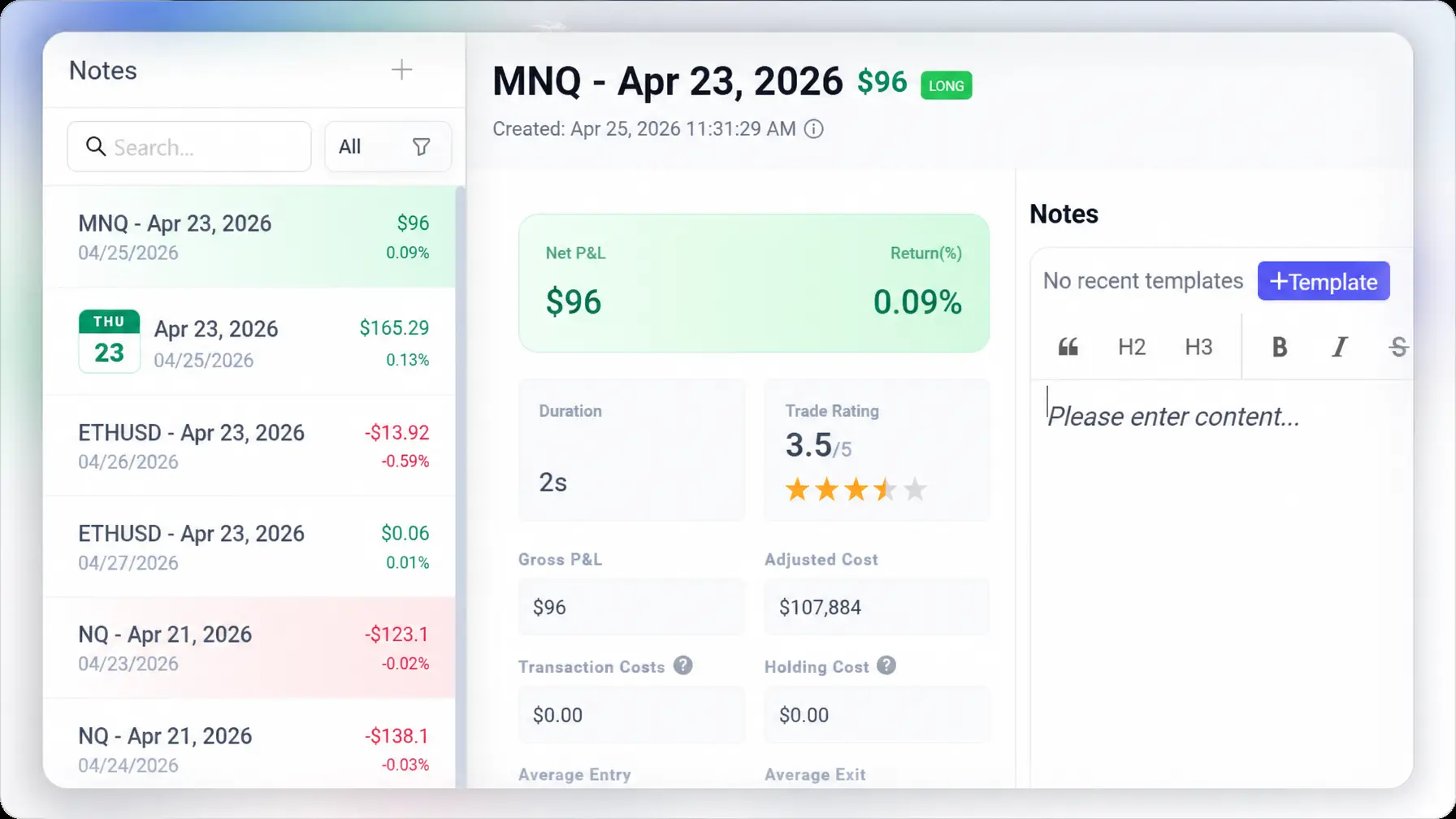
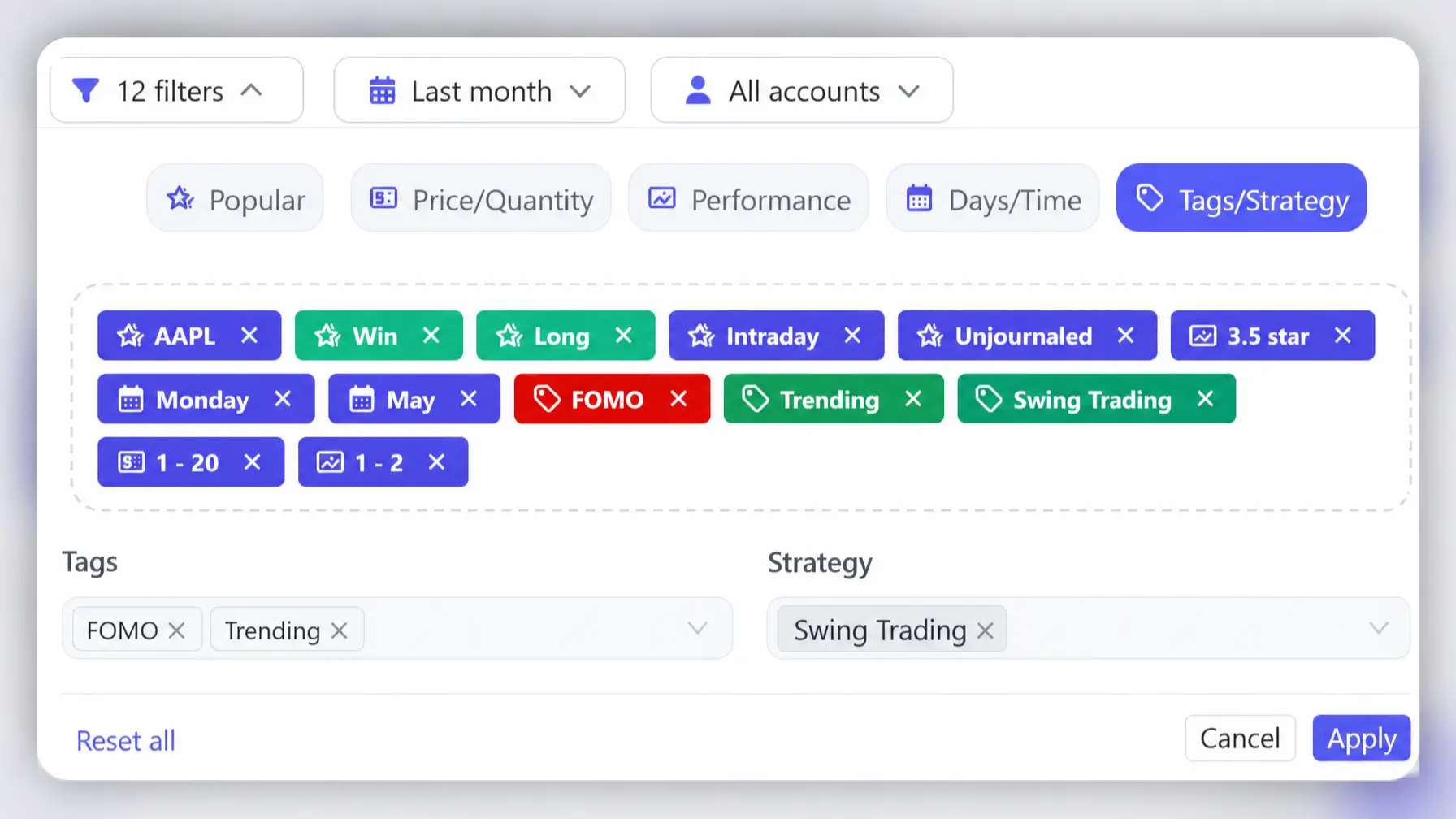
Use dashboard, trades, calendar, symbol, strategy, tag, notes, files, and broker account views to review your trading data in the way that fits your workflow.
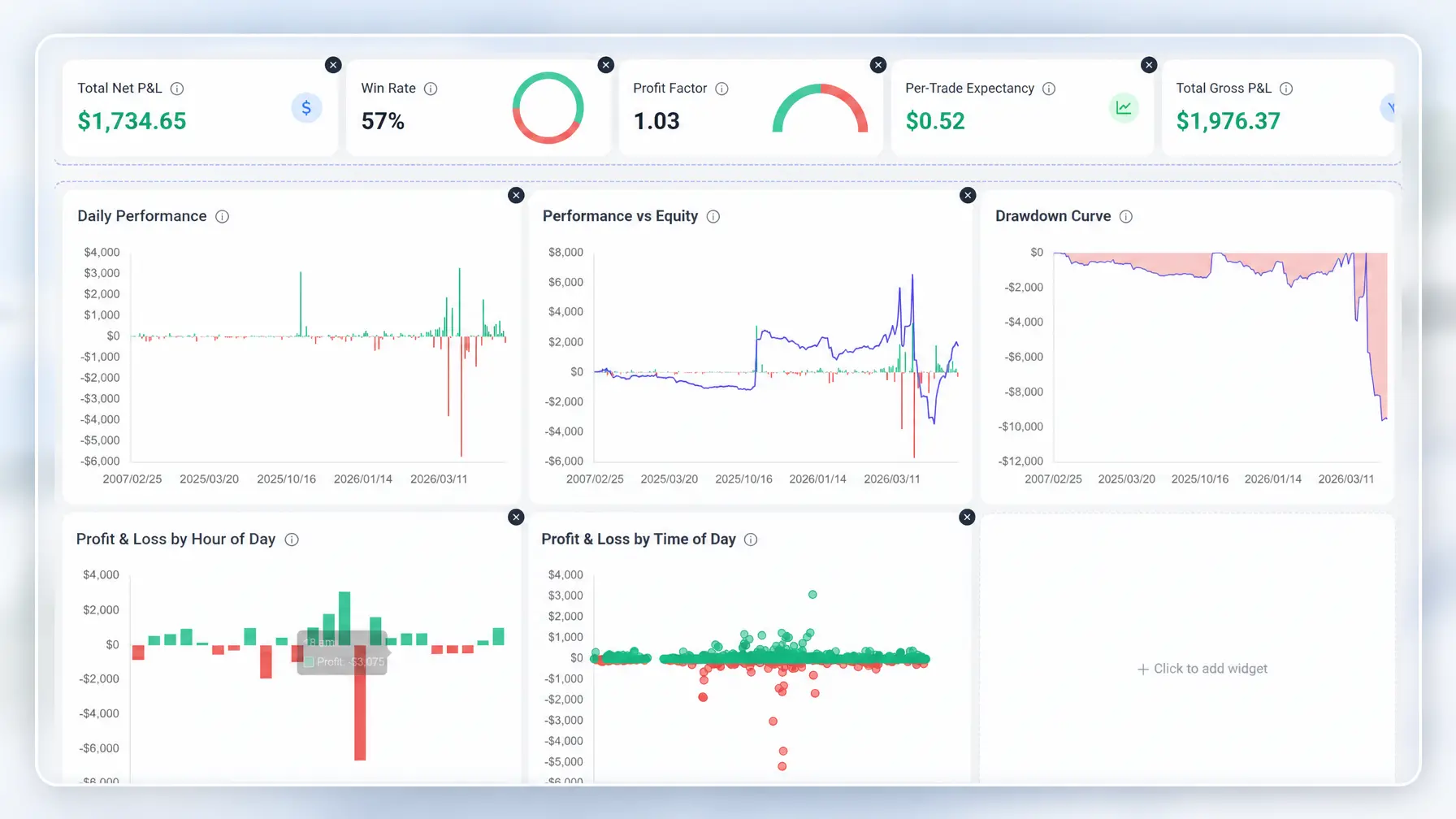
Customize your trading dashboard
Build a dashboard that fits your workflow. Choose the metrics, charts, and layouts you care about, from equity curves and drawdowns to trade expectancy and performance summaries. Focus only on what matters to you.
Learn how to get more from your trading journal
Explore practical TradeBB guides for importing trades, setting up your journal, reviewing performance, using tags and strategies, and keeping your trading data accurate.
Start with a Template, Grow into an Online Trading Journal
A trading journal template is a useful starting point. TradeBB helps you go further with broker imports, dashboards, reports, calendar views, strategies, tags, notes, and account-level performance review.
Start with a Template
Import Your Broker Data
Review More Than Rows
Built by traders. Trusted by 100,000+ traders
Traders use TradeBB to track trades, review performance, import broker data, find mistakes, and build a more consistent review routine.
TradeBB made my bad trading habits impossible to ignore. Once I tagged my FOMO trades, I could finally see how much they were costing me — and that changed how I trade the open.
I found a pattern I had completely missed: my Wednesday morning options trades were consistently weak when I tagged them as revenge trades. TradeBB helped me see it in minutes.
Across FTMO, MT5, and Thinkorswim accounts, reviewing everything used to mean logging into different platforms. Now I can open one dashboard and see what is really going on.
The dashboard was the first thing that clicked for me. I moved win rate, average hold time, and tag breakdown to the top, and now my trading journal feels like my own review setup.
My broker is not one of the big names, so most journals either did not support it or imported the data wrong. TradeBB read my trade history file correctly on the first try.
Daily notes made journaling easier to stick with. After a few months, I could review old trades and clearly understand what I was thinking during each setup.
FAQ
What is TradeBB?
TradeBB is an online trading journal and review platform that imports your trades, tracks performance, and turns your trading data into a repeatable improvement loop.
How do I get started?
Create an account and set your timezone and base currency. Import your trade history via auto sync or file upload. After the first import, tag and organize trades by instrument, strategy, and setup. Then open the dashboard to review key metrics (P&L, win rate, profit factor, expectancy) and begin your review loop.
What is a trading journal?
A trading journal is a structured record of your trades, including entries, exits, position size, notes, screenshots, strategies, mistakes, and performance results. Traders use it to review decisions, identify patterns, and improve over time.
How can a trading journal help improve trading performance?
A trading journal helps you review your trades instead of relying on memory. By tracking performance, strategies, mistakes, and trading habits, you can see what works, what hurts your results, and where to improve next.
Is TradeBB an online trading journal?
Yes. TradeBB is an online trading journal that helps traders import trades, track performance, review reports, organize strategies, use tags, and analyze trading data across different views.
Can I use TradeBB as a trading diary?
Yes. You can use TradeBB as a trading diary by adding notes, screenshots, emotions, lessons, mistakes, and strategy details to your trades.
Can I import trades from my broker?
Yes. TradeBB supports trade imports from selected brokers, trading platforms, and CSV files. Supported formats depend on the broker or platform.
Does TradeBB support stocks, forex, futures, and options?
Yes. TradeBB supports trade tracking and performance review across stocks, forex, futures, options, and other trading workflows depending on your broker and imported data.
Can I track multiple broker accounts?
Yes. TradeBB lets you organize trades by broker account, review account-level performance, and track deposits, withdrawals, commissions, fees, taxes, and other trading costs when available.